Online Wallpaper Maker Platforms: How to Find the Best Templates and Design Elements for Quick, Stunning Results

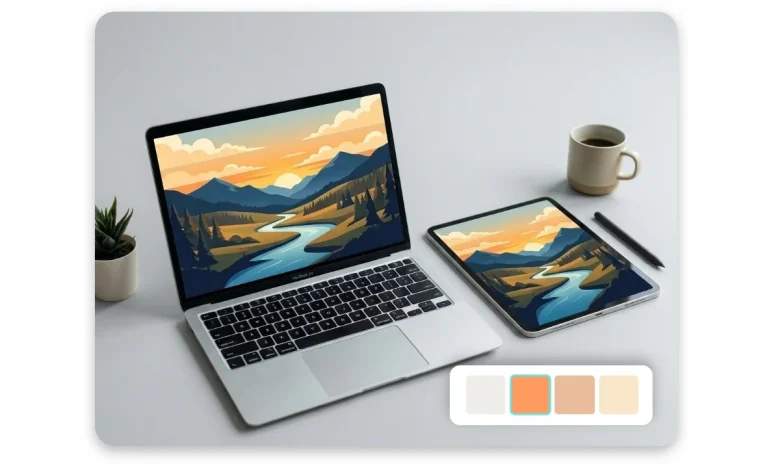
Whether you’re refreshing your desktop, creating a branded background for a virtual meeting, or designing a custom lock screen for your phone, the right wallpaper can say a lot about your personality or your brand. The problem is that most people are not professional designers, and starting from a blank canvas can feel overwhelming. That’s where online wallpaper maker platforms come in, offering ready-made templates, drag-and-drop tools, and curated design elements that make the process fast, fun, and accessible to everyone. This article breaks down what to look for in a wallpaper creation platform and shares practical tips for getting the most out of the tools available to you.
Why Templates and Design Elements Matter
When you sit down to create a wallpaper from scratch, the sheer number of decisions can be paralyzing: What colors work together? What fonts feel right? What dimensions do I need? Templates solve this by giving you a professionally designed starting point, so you only have to customize rather than create from nothing.
Design elements, on the other hand, are the building blocks that fill out your composition. These include icons, illustrations, shapes, patterns, photos, gradients, and textures. A platform with a rich library of elements gives you more creative flexibility without requiring advanced skills. The combination of strong templates and a deep element library is what separates a great wallpaper maker from a frustrating one.
Understanding what each platform brings to the table will help you choose wisely and work more efficiently. The tips below will guide you through the key considerations and help you produce wallpapers that actually look the way you envisioned them.
Tips for Choosing the Right Online Wallpaper Maker Platform
1.Look for Platforms That Offer Size Presets for Multiple Devices
Not all wallpapers are created equal in terms of dimensions. A desktop background typically runs at 1920×1080 pixels, while a mobile lock screen might need 1080×1920 pixels, and a tablet wallpaper sits somewhere in between. A good platform will offer size presets so you don’t have to manually enter custom dimensions every time. Some platforms also let you resize the same design for multiple devices with one click, which is a major time-saver if you want a consistent aesthetic across all your screens.
When evaluating platforms, check whether the preset options include the exact devices you use. If you’re designing for a MacBook, an iPhone, and a secondary monitor, you want a tool that accommodates all three without requiring you to start over for each size. This is especially valuable for brand designers or content creators who produce wallpapers at scale.
2.Prioritize Platforms with Regularly Updated Template Libraries
A template library is only as good as its freshness. Design trends shift constantly, and a platform that hasn’t updated its templates in years will leave you working with dated aesthetics. Look for services that actively add new templates tied to seasons, trending color palettes, and popular visual styles.
Updated libraries also tend to reflect current typography trends, which matter more than many people realize. The fonts available in a template set the tone for the entire design. When a platform invests in keeping its templates modern, it signals ongoing development and user focus. Reading community reviews or checking platform blogs for update announcements can give you a sense of how active the development team is.
3.Use Adobe Express to Make a Wallpaper Quickly and Professionally
One of the most capable tools available for creating wallpapers online is Adobe Express, which comes backed by decades of Adobe’s design expertise. If you want to make a wallpaper with professional results and minimal effort, Adobe Express offers a strong starting point with its curated template collection, extensive element library, and intuitive drag-and-drop interface.
What sets Adobe Express apart is its integration with Adobe’s broader asset ecosystem, including access to a large selection of royalty-free Adobe Stock photos and the ability to use Adobe Fonts within your designs. You can customize colors, swap out images, rearrange layout elements, and download your final wallpaper in high resolution, all within a browser or the mobile app. For both beginners and experienced designers looking for speed, it’s a highly practical option that delivers polished results.
4.Evaluate the Quality and Variety of Design Elements
Templates get you started, but design elements are what make a wallpaper feel personalized. Look for platforms that offer a wide range of assets, including geometric shapes, illustrated icons, botanical graphics, abstract textures, gradients, and photographic overlays. The more varied the library, the less likely you are to produce something that looks exactly like someone else’s wallpaper.
Pay close attention to the style consistency within element libraries. Some platforms offer elements from many different design styles, which can make it hard to mix and match without clashing. The best platforms organize their elements by style or theme, making it easy to stay visually cohesive within a single design. Filtering by color, style, or category is a small feature that makes a big difference when you’re deep in the creative process.
5.Check for Font Pairing Suggestions or Built-In Typography Tools
If your wallpaper includes text, whether it’s a motivational quote, your name, or a brand tagline, typography can make or break the final result. Platforms that offer font pairing suggestions or curated font combinations take the guesswork out of choosing complementary typefaces. This is particularly useful if you don’t have a background in design and aren’t sure which fonts work well together.
Some platforms go a step further by including text effect tools, allowing you to apply shadows, outlines, gradients, and opacity adjustments directly to your text. These small touches can give a wallpaper a much more intentional, crafted look. When testing a platform, spend some time in the text editing tools specifically, because this is often where the gap between basic and advanced tools becomes most apparent.
6.Look for Customizable Color Palette Tools
Color is the single most powerful element in any design, and having control over your palette is essential. The best platforms allow you to enter specific hex codes so you can match your wallpaper to a brand identity or personal color scheme. They may also include color palette generators that suggest harmonious combinations based on a single input color or an uploaded photo.
Some tools even let you extract a color palette directly from an image you upload, which is a clever way to build a wallpaper that complements an existing photo. If you’re designing a background that will sit behind app icons, keeping your palette intentional and not too busy is especially important. A platform that gives you precise color control supports that kind of deliberate decision-making.
7.Test the Platform’s Export and Download Options
Creating a beautiful wallpaper is only half the job. Downloading it in the right format and resolution is where many users run into trouble. Look for platforms that allow high-resolution PNG or JPEG downloads, as these formats preserve quality across different screen densities. Some platforms limit download resolution on free tiers, which can result in blurry or pixelated results on high-DPI screens like Retina displays.
Also consider whether the platform watermarks your downloads. A watermark might be acceptable for casual use, but if you’re creating wallpapers for professional or commercial use, you’ll want a plan that provides clean, watermark-free exports. It’s worth reviewing what each subscription tier includes before committing to a platform, especially if you plan to use the tool frequently.
8.Consider Platforms with Collaboration Features
If you’re creating wallpapers for a team, a classroom, or a brand, collaboration tools matter. Some platforms allow multiple users to work on the same design in real time, leave comments, or share editable links with collaborators. This kind of workflow is especially valuable when you need approval on designs before finalizing them.
Even if you’re working solo, collaboration-friendly platforms often have better organization features, like folders, design histories, and version control. These features make it easier to manage multiple projects and revisit older designs without starting from scratch. As you grow your design library, those organizational tools become increasingly valuable.
9.Take Advantage of AI-Powered Design Assistance
Several leading wallpaper platforms are beginning to integrate AI tools that can generate backgrounds, suggest design variations, or help you remove or replace image backgrounds automatically. These features can significantly speed up the design process and help you explore creative directions you might not have considered on your own.
AI background generators, for instance, can create abstract or illustrated environments from a simple text prompt, giving you a truly unique wallpaper that doesn’t come from a template at all. If originality is a priority for you, exploring AI-enhanced platforms is worth the effort. These tools are evolving quickly, and the platforms that invest in them tend to be ahead of the curve in other areas of design functionality as well.
10.Read Community Galleries and User Reviews Before Committing
One of the most overlooked research strategies when choosing a wallpaper platform is simply browsing what other users have made with it. Many platforms host public galleries or community showcases where users share their designs. Reviewing these gives you a realistic sense of what the platform’s templates and elements actually look like in practice, rather than in the idealized screenshots on the platform’s own marketing pages.
User reviews on third-party sites can also surface friction points that aren’t obvious until you’re deep in a design workflow. Issues like slow rendering, limited undo history, or unclear licensing on downloaded assets are the kinds of things that frustrate users but rarely appear in feature lists. Taking an extra fifteen minutes to read real feedback before signing up can save you a lot of time and disappointment later.
Building a Wallpaper That Actually Works
Once you’ve chosen your platform, a few practical habits will help you consistently produce wallpapers you’re proud of. Start by defining your purpose: is this for personal use, professional branding, or a specific event? That clarity will guide your template selection and color choices. Next, keep complexity in check. The most visually satisfying wallpapers tend to have one clear focal point and a limited number of competing elements.
Consider how your wallpaper will interact with the icons or widgets sitting on top of it, especially for phone screens. A busy or high-contrast background can make icons hard to see and reduce usability. A great wallpaper balances visual interest with functional clarity.
Finally, save your work in an editable format if the platform supports it. Trends change, and being able to quickly update a template you’ve already customized is far more efficient than rebuilding from scratch. Many platforms save designs automatically to your account, but downloading the editable project file as a backup is a smart habit.
Frequently Asked Questions
What is the best free online platform for making wallpapers with templates?
Several platforms offer free tiers that include access to templates and basic design elements, making them viable options for casual users. The quality of the free experience varies significantly between platforms. Some offer hundreds of free templates with limited element access, while others provide a smaller template selection but more generous element libraries at no cost. For users who want professional-grade results without paying, it’s worth testing a few platforms during their free trial periods. Adobe Express, for instance, offers a free tier that includes access to a meaningful selection of templates and assets. The most important thing is to check what file formats and resolutions are available for free downloads, as some platforms restrict export quality on unpaid plans.
How do I make sure my wallpaper looks good on a high-resolution screen?
Resolution is a critical factor when designing for modern displays, especially Retina screens on Apple devices or 4K monitors. As a general rule, you want to design at the native resolution of your target device or higher, then scale down if necessary. Most wallpaper platforms that are built specifically for this use case will list device-specific resolution presets. For a standard 1080p desktop monitor, 1920×1080 pixels is the baseline. For a 4K display, 3840×2160 is ideal. When downloading, always select the highest resolution available and use PNG format for the best quality preservation. If your platform caps resolution on the free tier, consider whether a paid plan is worthwhile given how often you create wallpapers.
Can I use a wallpaper I create online for commercial purposes?
This depends almost entirely on the licensing terms of the platform you use and the specific assets incorporated into your design. Most platforms offer a mix of free and premium assets, and the licensing rules often differ between the two. Assets available on free plans may carry restrictions on commercial use, while premium or licensed assets on paid plans may allow broader usage rights. Always review the platform’s licensing documentation before using a design commercially. If your wallpaper includes stock photos, illustrations, or fonts sourced from a third party, you may need to verify the license on those assets separately. For comprehensive guidance on copyright and licensing for digital designs, the U.S. Copyright Office website at copyright.gov offers detailed resources on what protections apply to creative works and when permissions are required.
What design elements should I avoid when making a wallpaper for a phone screen?
Phone wallpapers present a unique design challenge because of the overlapping app icons, clock displays, and notification bars that sit on top of the image. Overly detailed or text-heavy wallpapers tend to create visual clutter that makes it hard to locate icons quickly. Bright, high-contrast patterns placed in the center of the screen can compete with important interface elements. As a general guideline, keep the busiest part of your design toward the bottom or edges of the frame where fewer UI elements appear. Using a subtle blur effect or a soft gradient overlay can help a complex image read better as a wallpaper. Solid colors, soft gradients, and minimalist illustrations consistently perform well as phone wallpapers because they support rather than compete with the device’s interface.
How often should I update my wallpaper and does it affect device performance?
Changing your wallpaper is a low-effort way to refresh your digital environment, and many people find that updating it seasonally or whenever they’re seeking a new creative spark is a natural rhythm. There is no universally correct frequency. On the question of performance, static image wallpapers have essentially no impact on device speed or battery life. However, live or animated wallpapers, which are supported on some mobile operating systems, can consume additional processing power and drain battery more quickly. If you’re using a static wallpaper created through an online tool, you don’t need to worry about performance implications at all. The real consideration is personal: change your wallpaper whenever the current one no longer inspires you or fits your aesthetic.
Conclusion
Creating a custom wallpaper has never been more accessible, thanks to the growing number of online platforms that combine template libraries, rich design elements, and intuitive editing tools in one place. The key to a great wallpaper experience is choosing a platform that matches your skill level, device needs, and creative goals, and then taking advantage of the tools it offers rather than settling for a default template without customization.
Whether you’re designing for personal expression, professional branding, or simply because you want your screens to feel more like you, the tips in this article give you a clear starting point. Prioritize platforms with strong element libraries and current templates, use resolution-appropriate exports, and don’t underestimate the impact of a thoughtful color palette and clean typography. With the right tools and a few minutes of focused effort, the wallpaper on your screen can be something you’re genuinely proud of.